Feature Request
Document Metadata
Category: Setup & Configuration → Information → Feature Requests
Audience: Administrators, Engineers, Support Team
Difficulty: Beginner to Intermediate
Time Required: 5–10 minutes
Prerequisites: Active ConnexCS account with access to the Setup → Information section and user permission to submit feedback.
Related Topics: Change Log
Next Steps: Review current open requests and up-vote your priorities in the Feature Request list.
Setup Information Feature Request
Introduction
A Feature Request is a suggestion made by a user or stakeholder for a new functionality or an enhancement to an existing system or software product.
Feature requests can come from internal teams, customers, or third-party partners, and they serve as a critical source of information for future product development.
In our system, feature requests are categorized and managed to ensure that the most relevant, valuable, and feasible features are prioritized.
Feature Request Submission
- Login to your account.
- Navigate to Setup Information Feature Request.
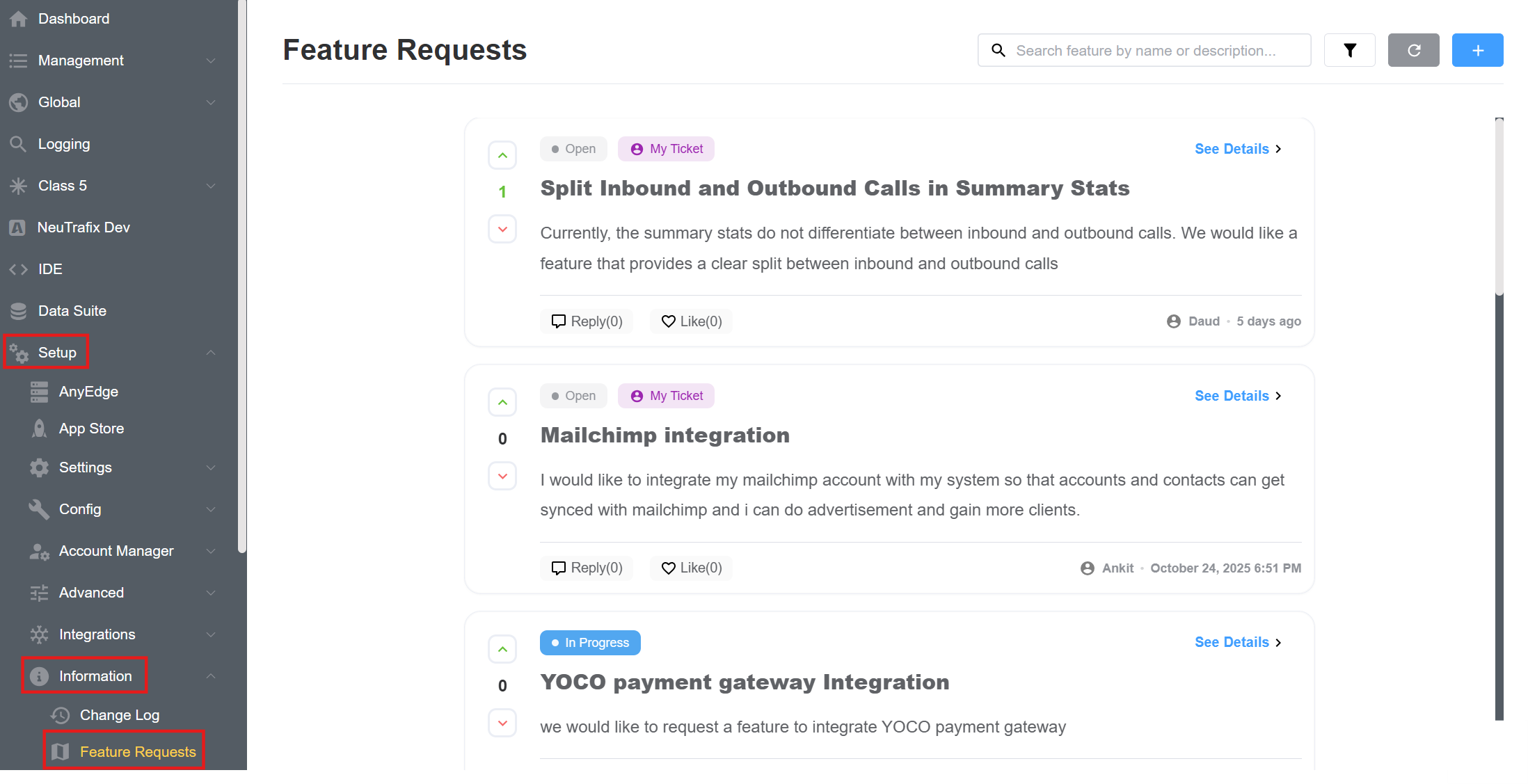
- Click on the blue
+button. When submitting a request, users need to provide:- Title: A brief, descriptive name for the feature request.
- Description: A detailed explanation of the feature request, including its purpose and how it will benefit users or improve the system.
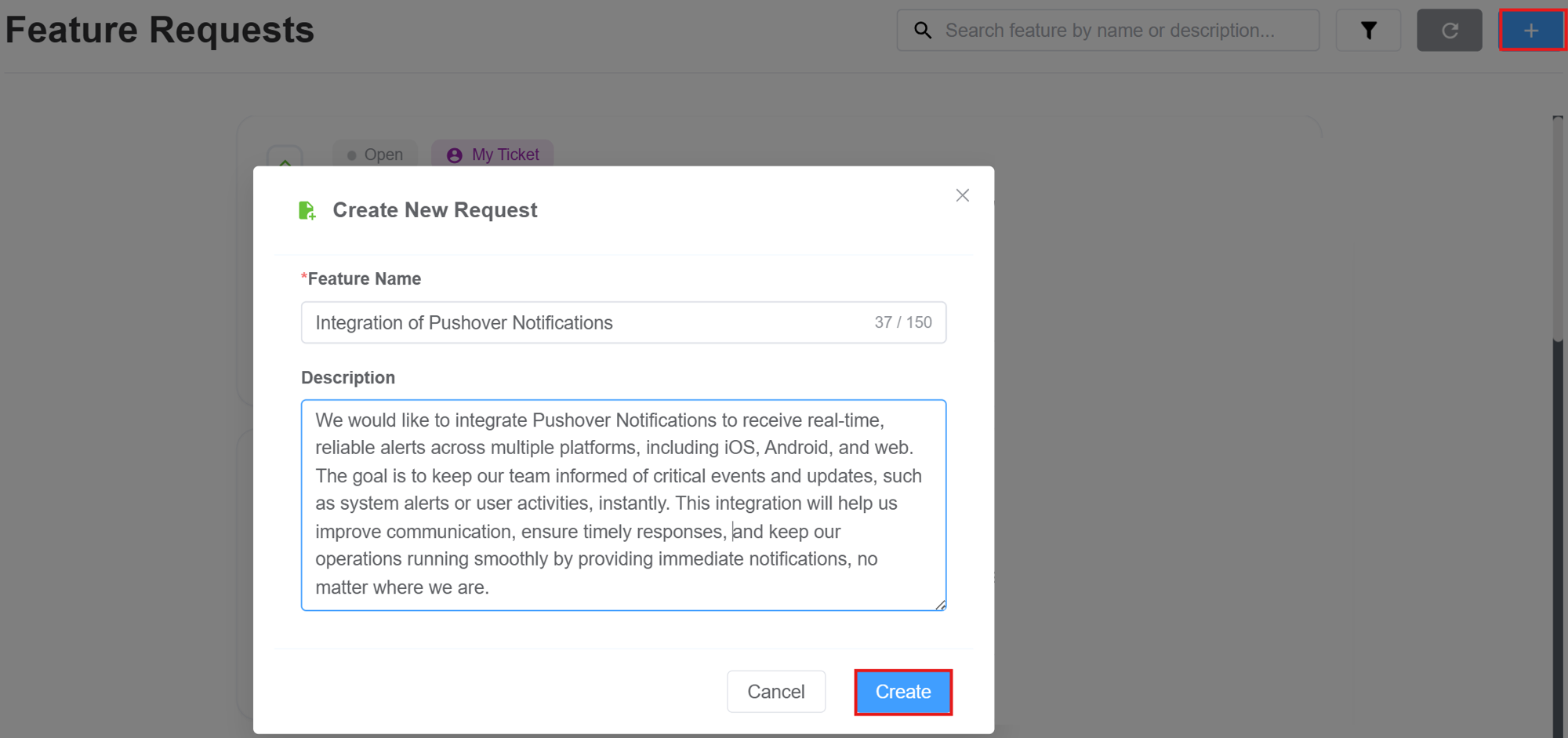
- Let’s now take a closer look at the key features of this integration:
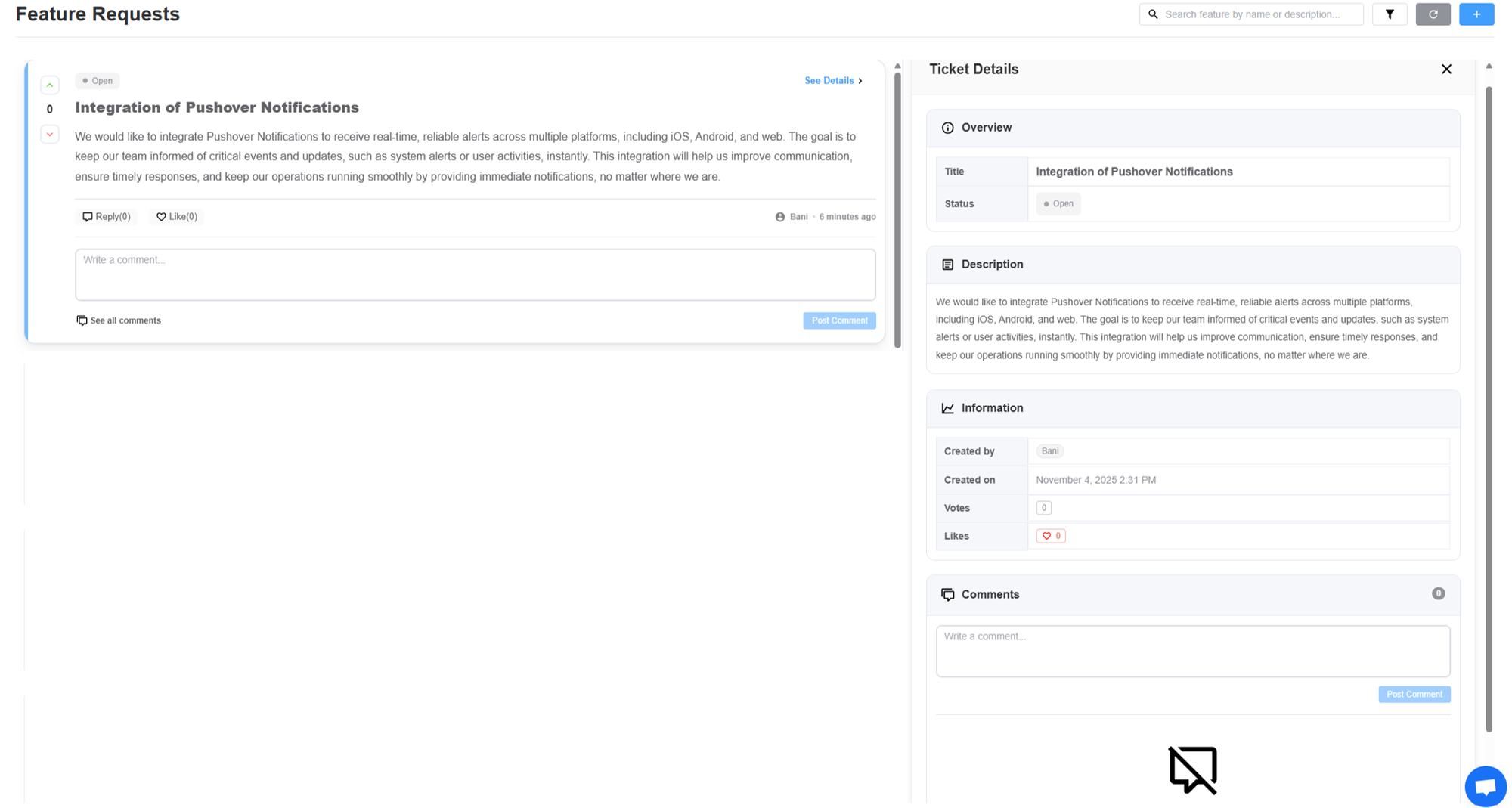
- Search Bar: Allows users to search for specific feature requests by name or description. This makes it easier to find relevant requests from a large pool.
- Filter: Help users efficiently organize and view tasks or feature requests based on specific criteria:
- Task Filter: Choose from All Tasks, My Tasks, or Other Tasks to focus on specific task sets.
- Status Filter: Allows filtering by task status: Open, Pending, In Progress, Completed, In Review, Documentation, or Accepted.
- Sort By: Newest First (default), Oldest First, Most Liked, Most Votes, or alphabetical sorting (A-Z or Z-A) based on task titles.
- Feature Request Overview:
- Title: The name or title of the feature request. This is a short, descriptive label for the requested feature.
- Description Box: This is the detailed explanation of the feature request
- Status: Displays the current status of the feature request. Common statuses include:
Open: The feature request is currently being reviewed or is in progress.In Progress: The feature is actively being worked on or developed.Completed: The feature has been fully implemented and is live.Closed: The feature request has been resolved, but no further action is necessary.
- Reply: Users can add comments or feedback to the request.
- Like: Users can express their interest in the feature request by "liking" it. This helps prioritize the most requested features.
- Post Comment: After writing a comment in the "Write a comment" section, users can click this button to submit their feedback or additional information.
- Upvote: When a user upvotes a feature, it indicates support for the request or idea, signaling that they find it valuable or necessary.
- Downvote: When a user downvotes a feature, it indicates disapproval or that they do not find the request valuable.
- Ticket Details panel displays basic info about the feature request, including Created By, Created On, Votes, and Likes, while the Comments Section allows users to add feedback, view all comments, and engage in discussions.
Some inportant notes
- Features with the highest number of votes will be prioritized for implementation.
- The final decision regarding feature changes or adjustments will be made by the team.
- All feature requests will be visible to all customers.